
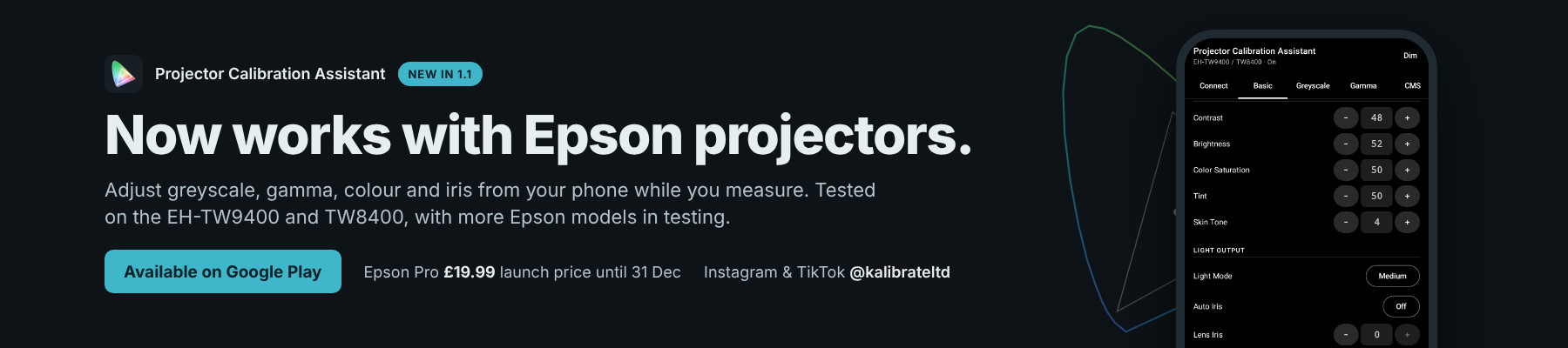

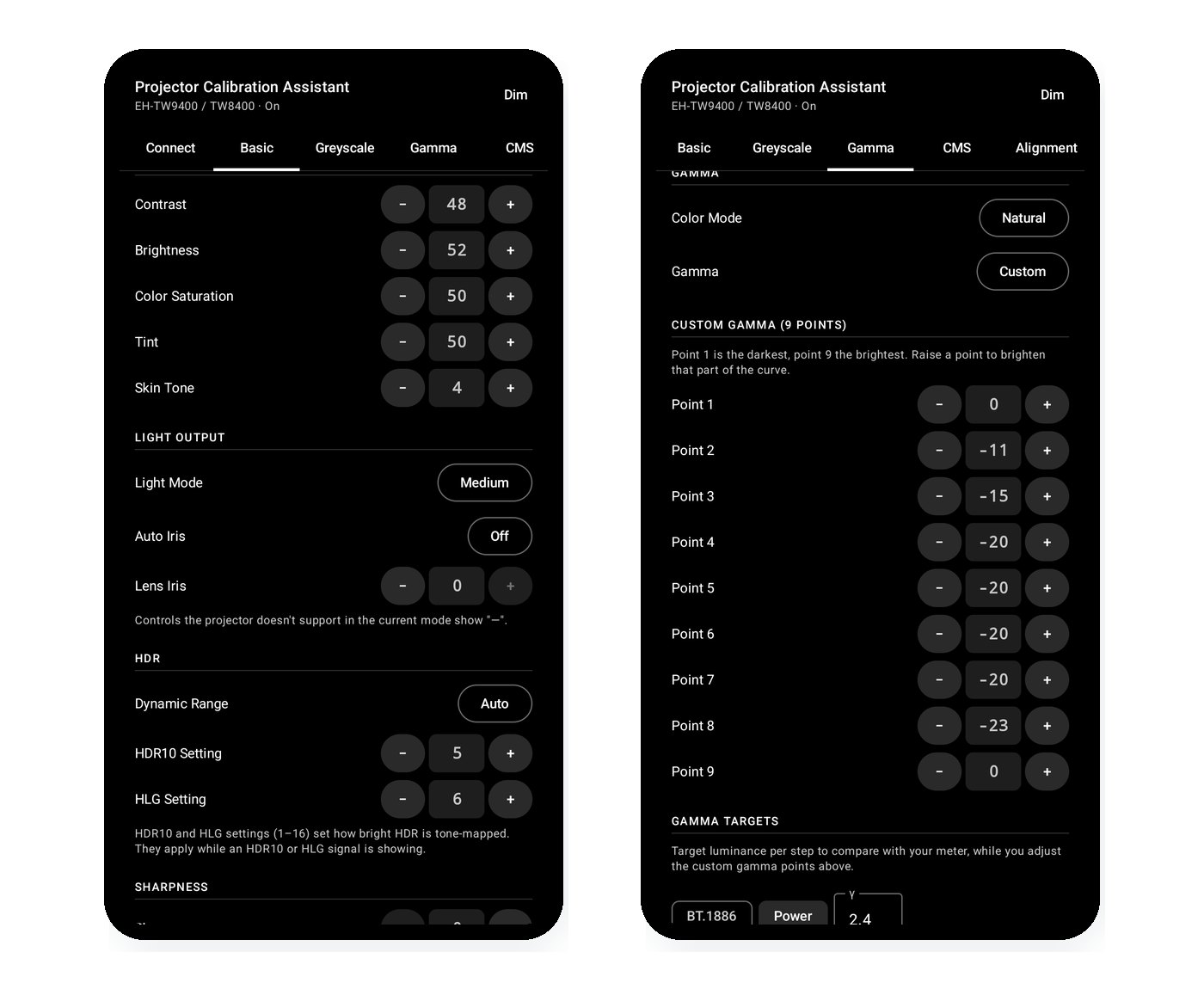
Last week we launched Projector Calibration Assistant, our Android app that puts your JVC projector’s calibration controls on your phone. Today’s update, version 1.1, brings the same approach to Epson.
If you calibrate an Epson, you’ll know the routine: open the menu, find the setting, change it, close the menu so the meter can see the pattern, measure, and repeat. With the app, the menu stays closed. You adjust from your phone while your meter reads the screen.
Tested on the EH-TW9400 and TW8400
We’ve tested this release on an EH-TW9400 here at Kalibrate. The TW8400 shares the same controls, as do the Pro Cinema 6050UB and Home Cinema 5050UB sold in other markets. From your phone you can adjust:
- Greyscale: offset and gain for red, green and blue, and colour temperature from 3200K to 10000K.
- Gamma: the −2 to +2 presets and the 9-point custom gamma.
- Colour: RGBCMY hue, saturation and brightness, plus skin tone.
- Picture: brightness, contrast, colour saturation, tint and sharpness.
- Light: light mode, auto iris and lens iris.
- HDR: dynamic range and the HDR10 and HLG settings.
- Installation: panel alignment memories and powered focus.
You can also back up every calibration setting to a file and restore it later.
The same numbers as the projector’s menu
Epson projectors send their settings as numbers from 0 to 255, which don’t match the scales in the menu. Brightness, for example, runs from 0 to 100 on the projector, with 50 in the middle. Show the raw numbers and the app is no use for following a calibration report.
So we stepped every control on the TW9400 from one end of its range to the other, one menu step at a time, and recorded what the projector reported at each step. The app now shows exactly what the menu shows: 50 for brightness, 6500K for colour temperature, −5 for the lens iris. Along the way we found that the TW9400 accepts auto iris and lens iris commands over the network, which Epson doesn’t document, so those are in the app too.
What you need
- An Epson projector with network control, such as the EH-TW9400 or TW8400.
- An Android phone or tablet on the same network as the projector.
- On the projector: a fixed IP address, and Standby Mode set to Communication On.
- A signal playing. Epson projectors only accept picture changes while they’re showing a picture.
- Your own meter and calibration software. The app doesn’t take measurements: it’s the remote control for the adjustments.
Epson projectors don’t report which model they are, so choose yours on the Connect tab. The projector accepts one controller at a time, so close any other control software first. Our step-by-step guide, How to calibrate a JVC projector from your phone, follows the same order you’d use on an Epson: set the starting point, then greyscale, gamma and colour.
More Epson models on the way
The EH-QB1000, LS12000 / LS11000, LS9000, QS100 and QL3000 / QL7000 are already in the app, marked “in testing”. They use Epson’s own command list, but until we’ve checked each one on a real projector, some numbers may not match the menu exactly. The QB1000 is on our bench next week, and updates will follow as each model is confirmed. If you own one, we’d like to hear how you get on: use Report a bug on the app’s About tab.
Also new for JVC owners
Version 1.1 adds a Control tab with your projector’s remote buttons: Menu, Back, OK and the arrows. It’s handy for settings the app doesn’t have its own control for, and it’s free. “Re-read from projector” now tells you what changed, so you can see at a glance if someone has used the remote.
Free to try
The app is free to download. The free version connects and shows every setting, and its demo mode lets you try every screen, for JVC or Epson, without a projector. Epson Pro unlocks every adjustment on Epson projectors. Like JVC Pro, it’s a one-off purchase with no subscription: £19.99 until 31 December 2026, then £24.99. All-brands Pro at £49.99 covers JVC, Epson and every brand we add.
See Projector Calibration Assistant »
Prefer to leave it to us? Every projector we sell is calibrated on the bench before it leaves, and we calibrate in your room too.
Email sales@kalibrate.co.uk.
Follow us for calibration tips and updates on new Epson models: Instagram @kalibrateltd · TikTok @kalibrateltd
Epson is a trademark of Seiko Epson Corporation. JVC and D-ILA are trademarks of JVCKENWOOD Corporation. Kalibrate is not affiliated with or endorsed by either.